Billable Expenses are costs you pay on behalf of a customer while providing services or work. These expenses can be added to an invoice so you can recover the amount from the customer.
Examples: Travel expenses, advertising costs, labour charges, and raw material costs incurred specifically for a client.
Create Billable Expense
- Go to Purchase > Expense.
- Click New Cash Expense(Accounts) in the left menu.
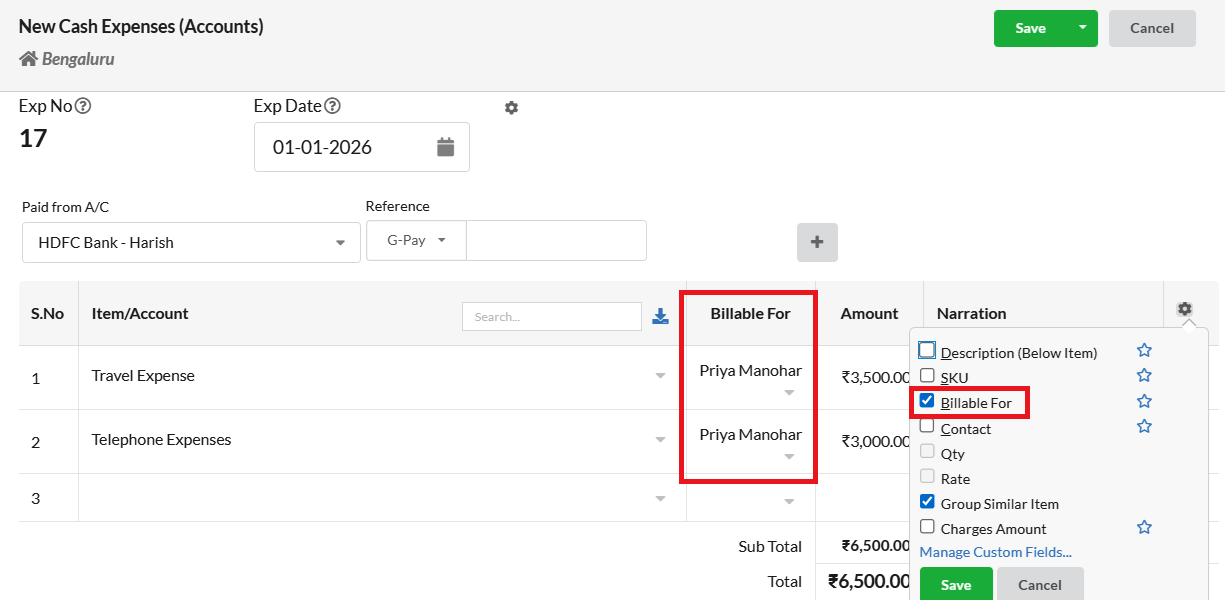
- Select the expense account in the Item/Account column.
- Enter the Amount and Narration (description).
- Click the Settings (⚙️) icon.
- Enable the Billable For checkbox.
In the “Billable For” column, choose the customer you want to bill this expense to.
- Click Save. The expense can now be linked to an Invoice.
Add Billable Expenses to an Invoice
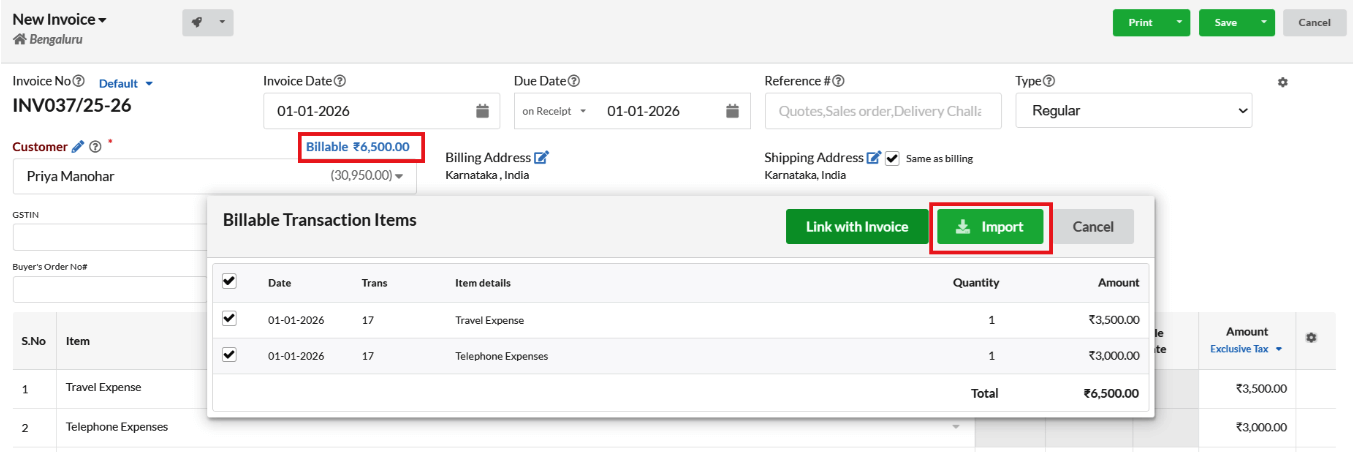
- Go to Sales > Invoice and create a New Invoice.
- In the Customer field, select the customer for whom the billable expense was created.
- Add the invoice Items as usual.
- Click the Billable option displayed near the customer name.
- A pop-up will appear showing all billable expenses linked to the selected customer.
- Select the required expenses and click Import to add them to the invoice.
- Click Save.